Getting Started in Build a Bakery
From empty counters to your first Cookie sales - the day-one route that funds everything else.
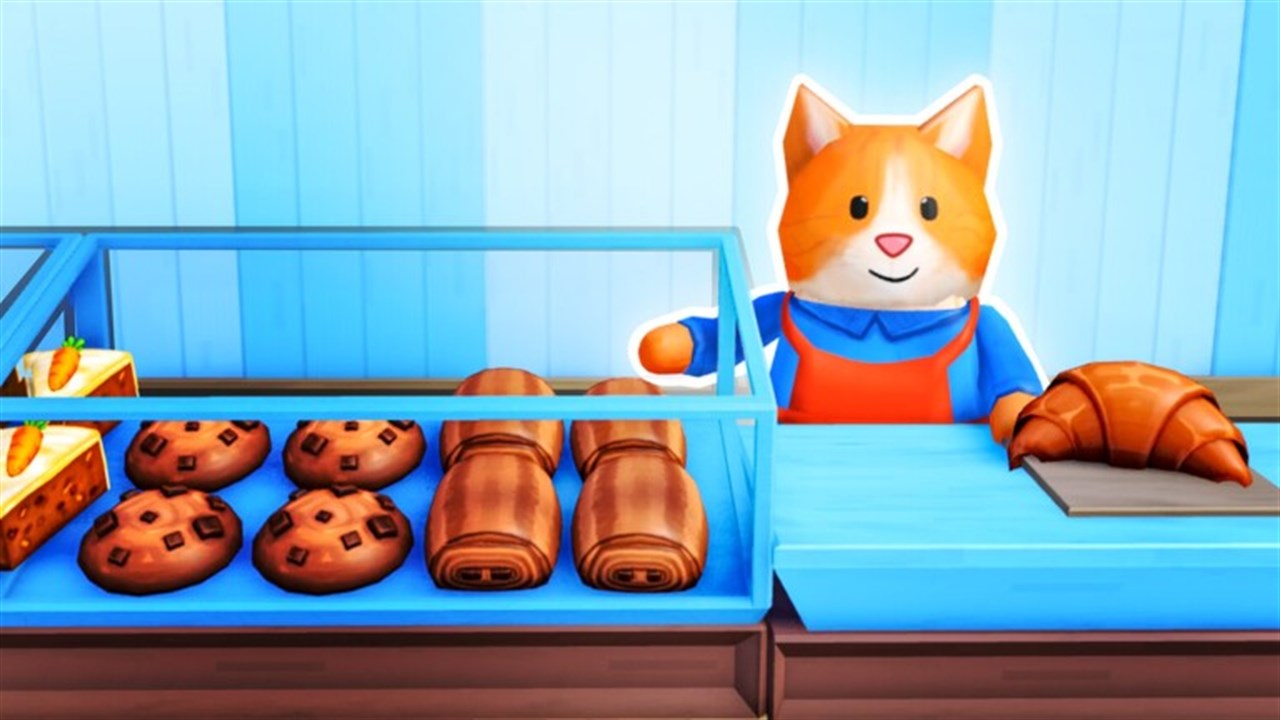
Welcome to Build a Bakery, the cozy Roblox simulation / tycoon from Baking Community (Bertik, Olikus, Sameek). This beginner guide walks the exact first-hour loop: open the blue gingham Market, buy Flour and Butter, mix Dough, bake a Cookie, stock the Display Case, serve customers, then dump profits into Oven and display upgrades before you chase Epic ingredients or Masterpiece trays.
The experience is released and playable on PC, mobile, and console through Roblox. Servers hold 6 players, so you can visit friends’ bakeries for layout ideas while growing your own shop. Favorites sit near the mid-tens of thousands and visits have passed 1M+ - you are joining a busy kitchen, not a closed beta.
What you will unlock in the first session
- HUD literacy: Market (blue gingham) vs Bake (red gingham)
- First Easy recipe: Cookie (Flour + Butter)
- Mixer → Oven → Display Case muscle memory
- Cash for Oven speed and shelf capacity
- Path toward Apprentice badge (5 recipes) and discovery claims
- Optional peek at Build Mode [B] and Expand Patio
Skip promo-code hunting for now - as of November 2026 there are no confirmed active codes (Codes Hub). Your free cash is Cookie volume plus recipe discovery claims.
Step 1 - Orient the bakery HUD
Land in your plot and locate:
- Market - blue gingham button. Buys Common / Rare / Epic ingredients.
- Bake - red gingham button. Opens production flow tied to Mixer and Oven.
- Recipe Book - tracks 40+ recipes and difficulty colors.
- Stations on the floor: Mixer, Oven, Display Case, later Workstations and Register.
Walk the triangle between Market, Mixer, and Oven until you can do it without opening the map. Empty Display Cases are lost sales - glance at shelves every cycle.
Step 2 - Buy Cookie ingredients
Open Market and purchase Flour and Butter (Common tier). Do not blow the starter purse on Epic Vanilla Bean yet; Assemble recipes like Cream Puff wait until margins exist. Keep a small buffer of cash for the next Market run so a single slow bake does not stall the line.
Step 3 - Mix Dough
At the Mixer, combine Flour + Butter into Dough. Remember the early patterns from How to Bake:
- Flour + Butter → Dough
- Flour + Egg + Milk → Batter
Cookie production uses the Dough path. Mix carefully; wrong combos waste Common stock you need for volume.
Step 4 - Bake and stock
Move Dough into the Oven. Cookies are Easy (green) and finish quickly compared with Cheesecake’s multi-minute bake. When trays complete, place goods in the Display Case before customers queue into an empty shop. Serving converts pastries into cash - the only soft currency that funds upgrades on day one.
Step 5 - Upgrade Oven before ego recipes
Reinvest Cookie profits into Oven upgrades first, then Display Case capacity. Faster bakes compound: every second shaved multiplies across dozens of Easy trays. Only after the Oven feels snappy should you experiment with Bread, Muffin, or Chocolate Chip Cookies. Croissant (~$68) and long bakes like Cheesecake (~6m45s) are mid/late goals - see the recipe tier list.
Step 6 - Open the Recipe Book
Discover nearby Easy recipes to push toward Apprentice (5) and Pastry Chef (10) badges. Community reports mention discovery cash claims around ~$150 on eligible unlocks - meaningful when Cookie margins are still small. Full tier colors and badge names (Patissier 25, Master Baker 40) live in the Recipe Book guide.
Step 7 - Meet helpers (when you can afford them)
Once shelves stay full without panic, hire Honey Bear or Snowy Bunny on a Workstation and use Set Recipe for a short Easy loop. Add Midnight Cat at the Register when tips idle. Details: Animal Helpers and the Players Hub. Helpers are the intended AFK layer - read Scripts only if you need the risk disclaimer.
Step 8 - Touch Build Mode lightly
Press [B] to enter Build Mode. Click places furniture, [R] rotates, [V] cycles table patterns, [C] recolors. Use the outdoor Expand Patio sign when indoor space bottlenecks customers. Do not spend your entire Cookie bank on decor before Oven upgrades - pretty shops with slow ovens still lose rushes. Full controls: Build Mode.
First-hour checklist
| Done? | Task |
|---|---|
| Find Market (blue) and Bake (red) buttons | |
| Buy Flour + Butter | |
| Mix Dough and bake Cookie | |
| Stock Display Case and serve | |
| Buy first Oven upgrade | |
| Unlock a second Easy recipe | |
| Note Recipe Book badge progress | |
| Visit a friend’s bakery once for layout ideas | |
| Skim Updates for New Area event timing |
Common beginner mistakes
- Buying Epic ingredients first - starves Cookie volume.
- Ignoring Display Case - Oven finishes into nowhere.
- Starting Cheesecake day one - ~6m45s clogs the only Oven.
- Decorating before upgrading - aesthetics without throughput.
- Trusting random code lists - none confirmed active Nov 2026.
Where to go next
- How to Bake - Mix vs Assemble mastery
- Recipe Book - plan badge route to 25 / 40
- Tier List Hub - pick profitable mid-game trays
- Updates Hub - Nov 27 New Area prep
- Official Links - Roblox place + Baking Community group
Stay on Cookies until the Oven upgrade button feels boring - that boredom means you are ready for Advanced cyan recipes. Welcome to the bakery.
Frequently Asked Questions
Quick answers for bakers climbing the Recipe Book.
What should I bake first in Build a Bakery?
Cookie using Flour and Butter. It is an Easy-tier recipe with Common ingredients and fast turnover for funding Oven upgrades.
Where is the Market button?
Look for the blue gingham Market control on the HUD. The red gingham button opens the Bake flow tied to Mixer and Oven.
When should I hire animal helpers?
After you can keep Display Cases stocked manually and have spare cash. Start with Honey Bear or Snowy Bunny on a short Set Recipe loop, then add Midnight Cat at the Register.
Are there beginner codes?
No confirmed active codes as of November 2026. Use Cookie sales and recipe discovery claims for starter cash.
Can I play with friends?
Yes. Servers support 6 players and you can visit friends' bakeries while progressing your own shop online.
What does the gameplay video show?
A real Build a Bakery session (DarkpoweePlays!) demonstrating the bakery loop so you can mirror timing and station order.